
Online shopping is competitive, and people decide fast. In that setting, product pages are much more than simple item listings. For WooCommerce stores that want repeat customers (not just quick one-off orders), product pages act like full-time sales staff. They explain the product, make it appealing, reduce doubts, and help shoppers feel good about buying.
When done well, a product page turns a casual visitor into a returning customer. It also supports a wider plan for SEO for WooCommerce growth.
For many buyers, the product page is where the decision happens. It’s the place where they compare options, check details, and decide if they trust your store. Improving these pages can raise average order value, increase customer lifetime value, and help create happy customers who recommend you to others. These are key parts of long-term growth for any online shop.
Key Elements That Drive Repeat Sales on WooCommerce Product Pages
Getting repeat customers takes careful product page design. The goal is to make the first purchase easy, then give people reasons to come back. The elements below help turn WooCommerce product pages into pages that build trust, create value, and lead to repeat orders.
1. High-Quality Product Images and Videos
Since shoppers can’t touch or try the product, images and videos do a lot of the selling. Many customers expect several photos-often at least six-before they feel ready to buy. Use clear, sharp visuals from different angles, and allow zoom so people can check details.
For clothing, show real people wearing the items, ideally in different sizes. For other products, show the item in use so customers can imagine it in their own life. Video helps even more because it shows how the product works. The Vimeo for WooCommerce extension can make it easier to add videos. Getting good visuals takes decent lighting, a good setting, a plan for the shots, and a solid camera, but it often reduces doubt and increases sales. When a proper shoot isn’t practical, editing can close the gap. Car dealers, for example, use an AI car photo editor to clean up lot photos and give every listing the same professional look.

2. Clear, Benefit-Focused Product Descriptions
After visuals grab attention, the description often closes the sale. The best descriptions don’t just list features. They explain how the product helps the buyer and what changes for them after they own it.
For example, “wrinkle-free” is a feature. A benefit is what that feature does for someone: they can get ready faster, look more polished, and skip ironing. Also, avoid vague phrases like “built to last” or “all natural” without proof, because people see those claims everywhere. A strong description also answers common objections ahead of time, which helps the buyer feel comfortable choosing your product.
Explaining Features Versus Benefits
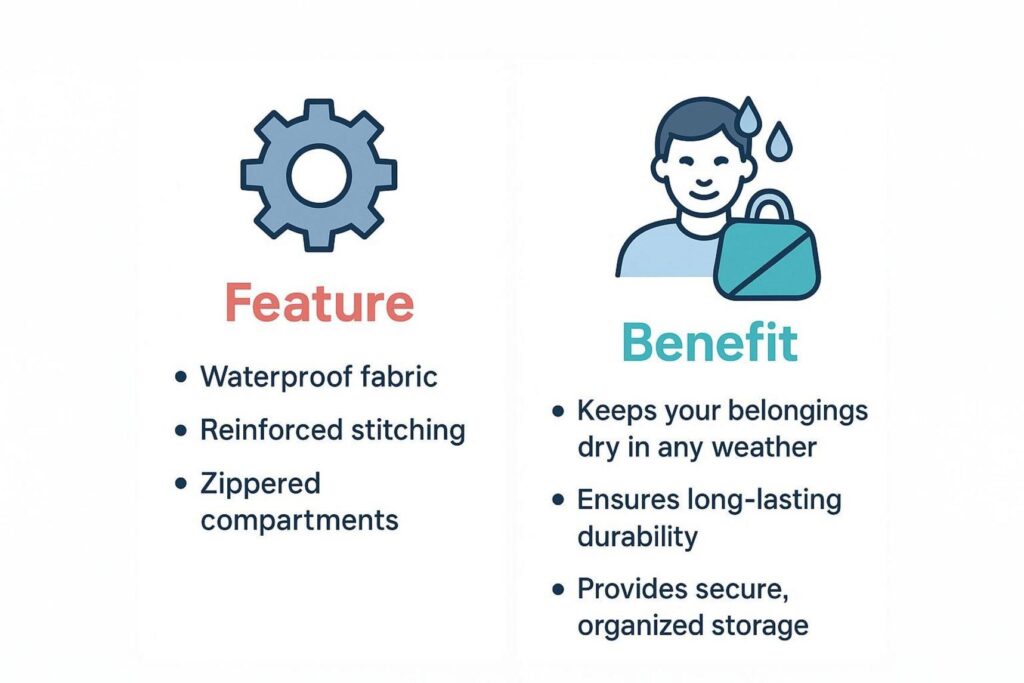
A feature is what a product has. A benefit is what the customer gets from it. Example: a phone with a “50-megapixel camera” is a a feature. The benefit is that the customer can take sharp, detailed photos that keep important moments clear and memorable.
People usually buy based on the result they want, not the feature itself. When you turn features into simple, real benefits, the product feels more useful and easier to justify.
Communicating Value and Use Cases
Good descriptions also explain value and show real ways to use the product. This helps shoppers picture themselves using it. Instead of saying a blender has “multiple speed settings,” explain what that means: it can make smooth morning smoothies and also handle thicker mixes like salsa.
Use cases turn product details into real-life examples. The Roadie 2 product page does this well by listing a feature like “OLED Screen with Built-In User Interface,” then adding a clear benefit: “For easy selection of instruments and tunings. Invisible when off, lights up beautifully when you turn Roadie on.” This keeps the page practical and easy to understand.
3. Visible Product Pricing and Stock Levels
Pricing should be easy to find. Use large text, strong contrast, and clear placement so shoppers don’t have to search for it. If you offer bundles or bulk discounts, explain them clearly so customers don’t get confused.
Stock information should also be clear. Inventory management software helps businesses maintain accurate stock records so product pages display reliable availability information, making customers less likely to order unavailable items. Offerman Woodshop does this well by showing prices clearly and using “sold out” graphics. Clear stock info builds trust and helps set expectations, which makes customers more likely to return.
4. Display of Customer Reviews and Social Proof
Social proof is online word-of-mouth, and it strongly affects buying decisions. Reviews and testimonials help buyers feel safe choosing your product and your brand. ShopperApproved reports that 91% of customers read reviews before buying, and 88% trust reviews as much as personal recommendations.
Social proof can include star ratings, written reviews, video reviews, and customer photos. Woof & Wiggle shows five-star reviews and media mentions, which adds extra trust. Products with strong reviews can sell far more than products without reviews, and showing reviews can raise conversions a lot. When you make reviews easy to see, you reduce doubt and help create repeat buyers.
5. Product Recommendations to Encourage Multiple Purchases
Product recommendations are a practical way to increase average order value and reduce one-time buying. They can show alternatives (if the current item isn’t right) and also suggest related items that make sense together.
Example: if someone buys a shirt, show a matching hat or accessory. The WooCommerce Product Recommendations extension lets you build rule-based suggestions that change based on what the shopper does. Premier Guitar uses related products at the bottom of product pages to encourage extra purchases. Good recommendations improve the shopping experience and increase total units sold.
6. Dynamic Add-Ons and Upsell Opportunities
Add-ons and upsells can turn a basic product page into a stronger sales page. Small personal touches can help close the sale, especially for gifts. The Product Add-Ons extension lets customers add gift wrap, special messages, or choose options like colors using photo choices, with pricing that changes based on selection.
Upsells can also raise average order value by offering a better version, a larger size, or a bundle. For example, offering two items for $89 instead of one for $50 can feel like a deal for the customer while increasing your order size. WooCommerce also includes a “Linked Products” tab where you can set upsells and cross-sells for each product. If done in a helpful way, this can increase revenue without making customers feel pushed.
7. FAQs and Buyer Support Integration
Even with good descriptions, customers still have questions. Adding FAQs and support options on the product page helps remove friction and reduces abandoned carts. For products that are harder to understand, product-specific FAQs on the page work better than sending shoppers to a general FAQ page.
If your support team gets the same questions again and again, put those answers right on the product page. The Product FAQs extension can help. Live chat is also useful for quick questions, and it can help close more sales when you have enough traffic. Also show phone and email support on product pages-not only at checkout-so customers can get answers before they commit.
Optimizing WooCommerce Product Pages for Higher Conversions
Improving WooCommerce product pages is ongoing work. It’s more than “add product, publish.” It includes technical setup, clear content, and a layout that feels easy for shoppers. When you work on these areas, product pages can bring more first-time sales and also build the trust that leads to repeat orders.
SEO and Copywriting Best Practices for Product Pages
SEO helps people find your product pages through search engines. It starts with keyword research: find the phrases your customers type when looking for products like yours. Use those keywords naturally in your page copy, including titles (H1) and section headings (H2, H3). Search engines use headings to understand what the page is about, so keep them clear and relevant.
Images can help with SEO too. Write descriptive alt text for product photos. This helps accessibility and can also help images show up in search results. Your product page URL matters as well: keep it short, place the main keyword near the start, use dashes between words, and avoid filler words. Tools like Yoast SEO or RankMath can help with metadata and structured data. With stronger SEO and copy, your product pages can get more organic traffic without extra ad spending.
Mobile-First Design for Seamless Shopping Experience
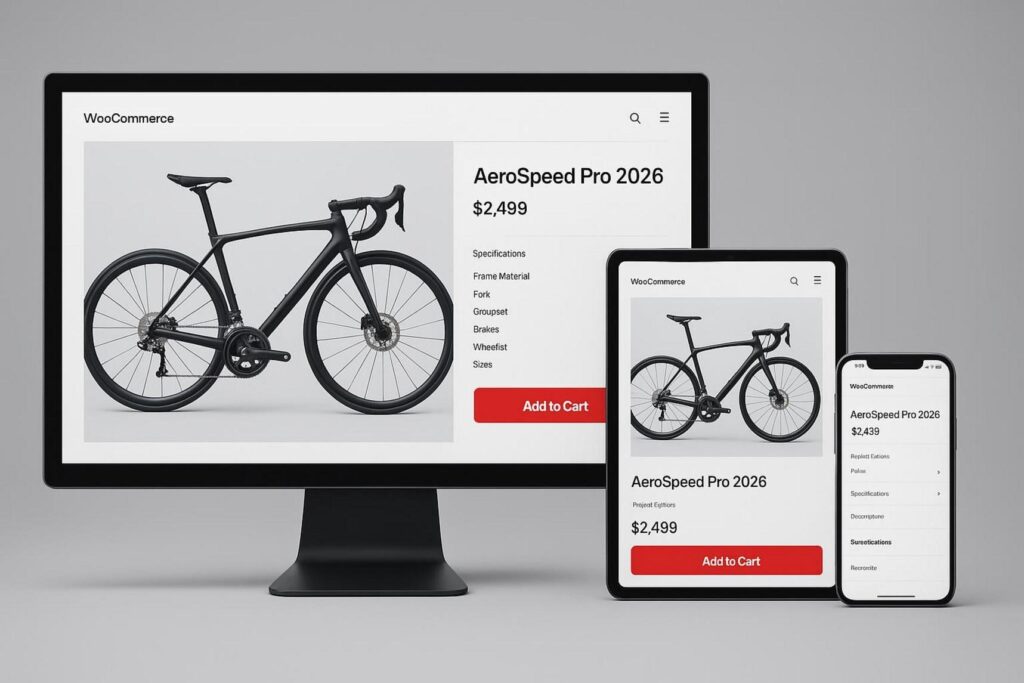
Many shoppers browse and buy on phones, so mobile-friendly design is required. Even a 1-second delay on mobile can reduce conversions by up to 20%, so speed and usability matter. Your store should work well on small screens, with easy scrolling, readable text, and buttons that are simple to tap.
Test product pages on different devices to confirm that images load properly, layouts don’t break, and key actions are easy to use. Elementor’s custom breakpoints can help you control how pages look on different screen sizes. A smooth mobile experience reduces frustration and helps keep customers coming back.
Fast-Loading Images and Efficient Site Speed
Speed affects sales and search rankings. Slow pages can rank lower in search results and push customers away. If a product page loads in more than three seconds, many visitors will leave. Since product pages often include many images and videos, media optimization is one of the best places to start.
Large image files often slow stores down. Tools like GTmetrix and Google PageSpeed can show what’s slowing your site. Jetpack Boost can help improve Core Web Vitals with options like lazy loading, CSS optimization, and delaying non-essential JavaScript. A CDN like Jetpack CDN can also help by serving your site from fast global servers and optimizing images based on device and location. Hosting also matters: even well-optimized pages can feel slow on weak hosting.
Clear Calls-to-Action and Intuitive Layout
A simple layout helps people buy. Shoppers should quickly understand what to do next. Start with a clear CTA, usually an “Add to cart” button, placed where it’s easy to see. WordPress’s Gutenberg editor makes it easier to build strong CTAs that match your brand and work on mobile.
The rest of the page should support that CTA. Use clear product images, simple navigation, and color contrast to highlight key info like price and reviews. Keep important details easy to find so shoppers don’t feel overwhelmed. Tools like Hotjar can show how visitors behave on the page (clicks, scrolling, and drop-off points), helping you spot what needs to be improved. A clean and practical layout can raise conversions and improve the buying experience.
How Product Pages Help Move Beyond One-Time Sales
A strong product page does more than complete one sale. It helps build a customer relationship. With the right features and layout choices, product pages can guide customers to buy again and increase customer lifetime value over time.
Increasing Average Order Value with Upsells and Cross-Sells
Upsells and cross-sells help raise average order value and reduce one-time buying. Upsells show a better version, upgraded model, or larger quantity of what the customer is already looking at. Cross-sells suggest items that match the main product, like a phone case for a smartphone or a scarf that works with a jacket.
If done well, these suggestions can also make customers happier because they find items that fit their needs. WooCommerce’s “Linked Products” tab lets you add upsells and cross-sells per product. The Product Recommendations extension can also automate suggestions based on rules, categories, or shopper actions. This helps you earn more from each order while making the store feel more helpful.
Personalized Recommendations Based on Customer Data
Personalized recommendations go further than generic “customers also bought” blocks. They use customer data like purchase history and browsing behavior to suggest items that actually match the shopper’s interests. For example, a customer who often buys organic gluten-free snacks could see suggestions for similar new products.
A CRM like Jetpack CRM or the HubSpot WooCommerce Integration helps by tracking orders, spend, and buying patterns. You can use this data for segmentation and targeted marketing. Then you can show better product recommendations on product pages, send smarter follow-up emails, or run retargeting ads. When customers see relevant suggestions, they are more likely to come back and buy again.

Loyalty Programs and Post-Purchase Follow-Ups
Loyalty programs and follow-up messages help turn buyers into repeat customers. A loyalty program can offer points, rewards, or special discounts for repeat orders. Product pages can also mention rewards so customers know their purchase gets them something extra.
Post-purchase emails matter too. This can include thank-you messages, review requests, and product suggestions based on what they bought. Tools like AutomateWoo, Mail Mint, or ActiveCampaign can automate these messages, bring back abandoned carts, and reach out at the right time. Regular contact and clear benefits give customers a reason to return.
Strategic Use of Scarcity and Urgency Incentives
People often delay a purchase if they feel there’s no reason to buy now. Real scarcity and urgency can help them decide. But it has to be honest-fake urgency breaks trust fast.
Real scarcity includes low-stock messages like “Only 2 left.” If stock isn’t limited, urgency can come from limited-time discounts or a bonus gift for the first group of buyers. Place these messages near the “Add to cart” button so they’re easy to see. Used in a truthful way, these signals can increase conversions and raise average order value.
Enhancing Customer Retention Through Product Page Features
Repeat business is a key part of steady store growth, and product pages can help a lot. By adding trust signals, community content, and easy support options, product pages can help customers feel comfortable buying again.
Building Trust with Transparent Policies and Guarantees
Trust is often the biggest problem in online sales. Customers want to know the store will treat them fairly. Product pages are a good place to show clear policies like returns, shipping timelines, and warranties.
Security matters too. Use SSL and show security badges at checkout and, if helpful, on the product page. Clear policies and visible security help customers feel safe. Over time, this builds confidence and makes repeat purchases more likely — and when trust signals are combined with strong SEO, the results compound: more visibility, more conversions, and a stronger brand. That’s the kind of joined-up approach e-commerce agencies like NON.agency are built around.
Leveraging User-Generated Content and Testimonials
User-generated content (UGC) helps because it’s real and comes from customers, not ads. Star ratings help, but detailed reviews with names, locations, photos, or video can build even more trust. Asking customers to share photos or videos of unboxing or using the product creates content that new shoppers relate to.
You can also show an Instagram feed with customer-tagged photos on product pages. This acts as social proof and also builds a sense of community for existing customers. Seeing real people enjoy your products can make buyers feel better about returning.
Providing Easy Access to Customer Support
Easy support helps both conversions and retention. Many sales are lost when a shopper has a quick question and can’t get an answer. Live chat on product pages can solve that without forcing the customer to leave the page.
Also show phone and email support options directly on product pages, not only on the contact page or checkout. The LiveChat for WooCommerce extension can help. Fast responses (minutes when possible, or at least the same day) show that your store is reliable. This reduces frustration and makes customers more likely to return.
Measuring Product Page Performance and Growth Impact
To know if your product pages are helping you grow past one-time sales, you need to track results. Without data, you’re guessing. By tracking key numbers and using analytics tools, you can understand customer behavior, find weak spots, and measure what’s working.
Key Metrics to Track for Repeat Sales
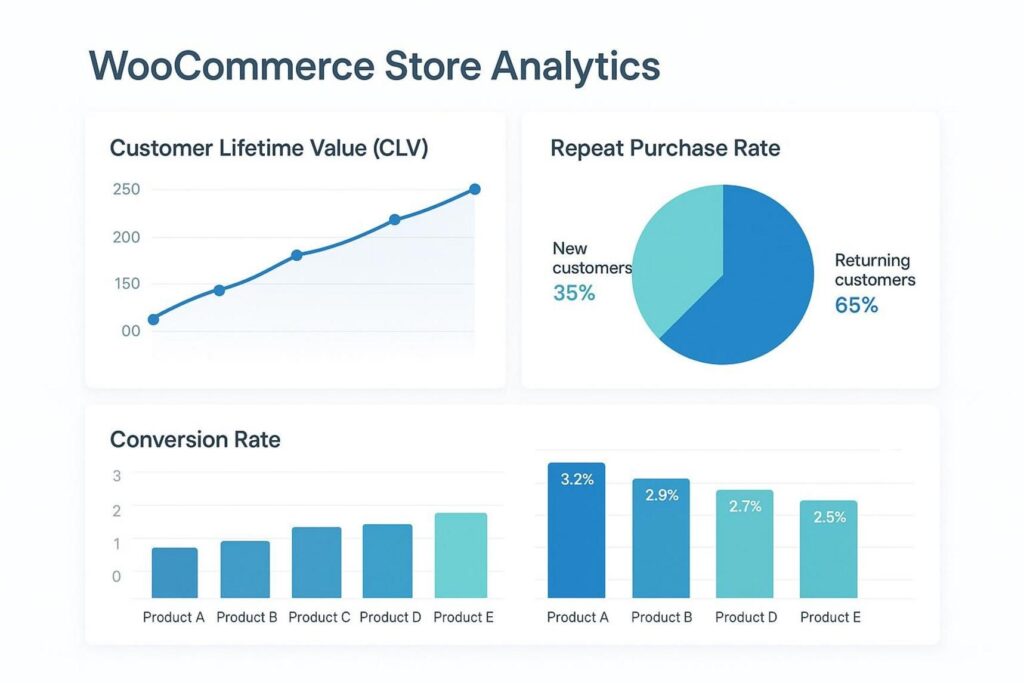
To measure repeat sales, look beyond basic sales totals. Track Customer Lifetime Value (CLV), which shows how much revenue you can expect from a customer over time. Also track repeat purchase rate, which tells you how often customers come back.
Conversion rate is also key, calculated as Conversions / total users X 100. Watching this for product pages helps you see how well they turn visitors into buyers. Track month-to-date performance and growth percentage too. WooCommerce Analytics includes stats like product popularity, gross and net sales, average order size, and coupon use. Reviewing these numbers helps you see what sells, who buys again, and where product pages are helping long-term growth.
Using Analytics to Identify Improvement Areas
Data matters most when you use it to make better decisions. Jetpack site stats can show traffic sources and which pages people visit most. Google Analytics (via the free WooCommerce Google Analytics extension) gives deeper reporting, like location data and which channels drive sales (ads, blog posts, social, or email).
By comparing traffic value against acquisition cost, you can decide where to spend your marketing budget. For offline marketing (like radio or mail), use unique URLs to measure traffic. On product pages, track behavior like time on page, scroll depth, and clicks to spot content gaps or layout issues. With regular review, small page changes can lead to strong gains in sales and repeat customers.