Email deliverability is the ability of an email to reach the recipient’s inbox instead of bouncing, landing in spam, or being blocked. For B2B sales and marketing teams, deliverability is the foundation of every email campaign. A strong subject line and compelling offer cannot generate replies if the message never reaches the right inbox.
This checklist covers the main areas to review before launching: audience quality, email verification, authentication, sender reputation, message relevance, unsubscribe controls, and follow-up automation.
What is email deliverability?
Email delivery means that an email was accepted by the recipient’s mail server. Email deliverability goes one step further: it measures whether that email reached the inbox rather than the spam folder.
Inbox placement depends on several factors, including the quality of your contact list, bounce and complaint rates, domain authentication, sending behavior, recipient engagement, and the relevance of your message. Deliverability is not guaranteed by any single tool. It is the result of a consistent, responsible sending process.
1. Define a relevant B2B audience
Email deliverability starts with relevance. When recipients repeatedly ignore, delete, or report your emails as spam, mailbox providers receive negative engagement signals. Sending to a large but poorly targeted list can therefore damage future campaigns.
Before building your list, define your ideal customer profile. Document the industries, company sizes, locations, technologies, job functions, and seniority levels that best match your offer. Then confirm that each contact has a realistic reason to hear from you.
Segment contacts by role, industry, buying stage, or business problem. A smaller, relevant list is usually more valuable than a large, unqualified one.
2. Verify and clean your email list
Invalid addresses are a common cause of hard bounces. Repeatedly sending to nonexistent or outdated addresses can hurt sender reputation and reduce future inbox placement.
Before every campaign, check for:
- Invalid or misspelled domains
- Duplicate contacts
- Former employees and outdated job titles
- Generic addresses that are not relevant to your campaign
- Role-based addresses such as info@ or support@, when unsuitable
- Contacts who previously unsubscribed or requested removal
Do not assume that an old list is still accurate. People change jobs, companies update domains, and businesses restructure. Verify your data shortly before sending, especially when the list has not been used for several months.
3. Set up SPF, DKIM, and DMARC
Email authentication helps mailbox providers confirm that your messages are authorized by your domain.
SPF identifies the servers allowed to send email for your domain. DKIM adds a digital signature that helps receiving servers verify the sender and message integrity. DMARC builds on SPF and DKIM by telling receiving servers what to do when authentication fails.
Google’s sender guidance recommends SPF or DKIM for all senders and SPF, DKIM, and DMARC for bulk senders sending to personal Gmail accounts. Google also recommends monitoring authentication and domain reputation through Postmaster Tools.
Before launching, confirm that:
- SPF includes every legitimate email-sending platform
- DKIM is enabled for each sending domain
- DMARC is published and aligned with your From address
- Your DNS records are valid
- Your email platform is not using an unexpected From address
Test authentication before increasing campaign volume or changing providers.
4. Protect your sender reputation
Sender reputation reflects how mailbox providers evaluate your sending behavior. It is influenced by bounce rates, spam complaints, engagement, authentication, sending consistency, and recipient quality.
Avoid sudden volume increases, particularly from a new domain or mailbox. Start with a controlled audience and increase volume only when your performance remains healthy. Email warm-up tools may support a sending process, but they cannot guarantee inbox placement.
Monitor these email deliverability metrics:
- Hard-bounce rate
- Spam complaints
- Positive reply rate
- Unsubscribe rate
- Delivery errors by mailbox provider
- Performance by segment and sending domain
Open rates can be affected by privacy features. Replies, qualified conversations, conversions, bounces, and complaints are often more useful indicators.
5. Make unsubscribing easy
Every commercial email campaign should provide a clear way for recipients to stop receiving future marketing messages. A difficult unsubscribe process increases frustration and can lead to spam complaints.
Google recommends making unsubscribing easy. For higher-volume marketing and subscription messages, Gmail requires one-click unsubscribe support. In the United States, the CAN-SPAM Act requires accurate header information, non-deceptive subject lines, a valid physical postal address, a clear opt-out method, and prompt handling of unsubscribe requests. These requirements also apply to B2B commercial email.
Maintain a central suppression list across all campaigns and sending mailboxes. Once a recipient opts out, remove them from future promotional outreach unless they clearly opt back in through an appropriate process.
6. Write relevant, trustworthy email copy
Email copy affects deliverability because irrelevant or misleading messages are more likely to be ignored or reported.
A strong B2B email should include:
- An accurate subject line
- A short opening that establishes relevance
- One clear value proposition
- A low-friction call to action
- A recognizable sender identity
- A natural, conversational tone
Use personalization only when it is accurate and useful. Avoid incorrect details, misleading “Re:” or “Fwd:” language, exaggerated claims, excessive punctuation, and large image-heavy layouts.
7. Manage follow-ups responsibly
A deliverability-safe sequence should stop or change when a recipient replies, unsubscribes, or asks not to be contacted. Continuing to send automated follow-ups after a conversation has started creates a poor experience and may generate complaints.
Set a reasonable number of follow-ups and space them appropriately. Each should add context, answer an objection, share a resource, or offer a useful next step.
Create separate paths for positive replies, objections, out-of-office messages, and opt-outs. Human review is especially important when a prospect asks a question or indicates that the timing is not right.
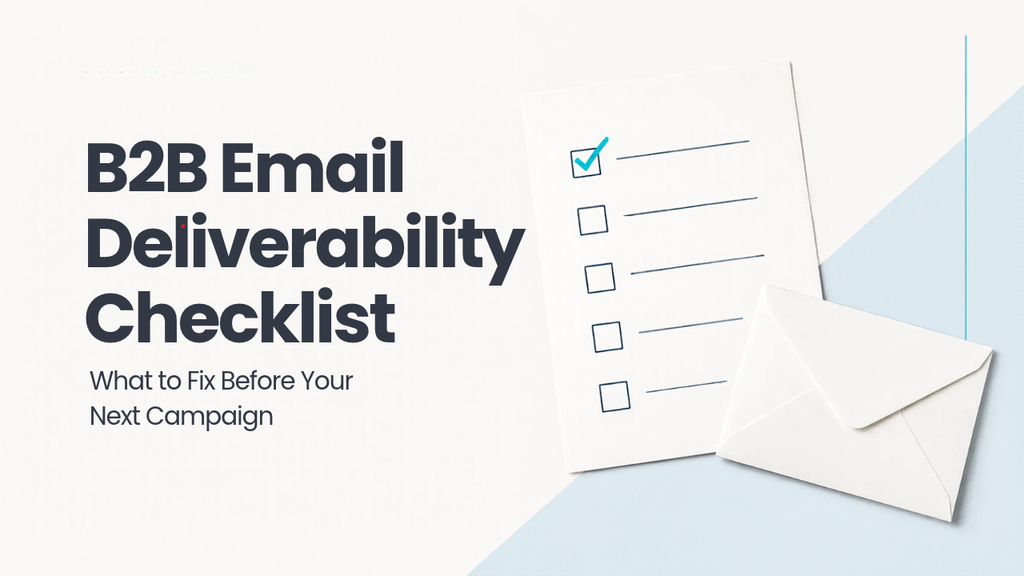
Final email deliverability checklist
Before launching your next B2B email campaign, confirm that:
- Your audience matches your ideal customer profile
- Invalid, duplicate, outdated, and opted-out contacts have been removed
- SPF and DKIM are configured correctly
- DMARC is published and aligned where appropriate
- Sending volume matches your domain and mailbox history
- Your subject line accurately represents the email
- Every message includes a clear unsubscribe option
- Follow-ups stop when a recipient replies or opts out
- Bounce, complaint, reply, and unsubscribe metrics will be monitored
- Your list has been verified shortly before sending
Conclusion
Email deliverability is not a one-time technical task. It combines accurate data, authenticated infrastructure, relevant messaging, controlled volume, and respectful follow-up.
Before your next campaign, confirm that you are contacting the right people, sending from an authenticated domain, and using verified data. Then monitor bounces, complaints, replies, unsubscribes, and qualified conversations.
When managed together, these fundamentals give your emails a better chance of reaching the inbox and starting valuable B2B conversations. Use this checklist before every campaign and treat deliverability as part of your revenue process, not a problem to solve after performance declines.
Frequently asked questions
How can I improve email deliverability?
Improve email deliverability by sending to relevant, verified contacts; configuring SPF, DKIM, and DMARC; increasing volume gradually; monitoring bounces and complaints; and honoring unsubscribes.
What causes poor email deliverability?
Common causes include invalid addresses, high bounce rates, spam complaints, missing authentication, sudden volume increases, irrelevant content, misleading subject lines, and emailing people who opted out.
Is email verification enough to guarantee inbox placement?
No. Verification checks whether an address is likely valid, but sender reputation, authentication, message quality, engagement, and recipient behavior also affect inbox placement.
Should B2B cold emails include an unsubscribe option?
Commercial B2B emails should provide a clear opt-out method. Exact requirements depend on the recipient’s location and message type; in the United States, CAN-SPAM applies to commercial B2B email.