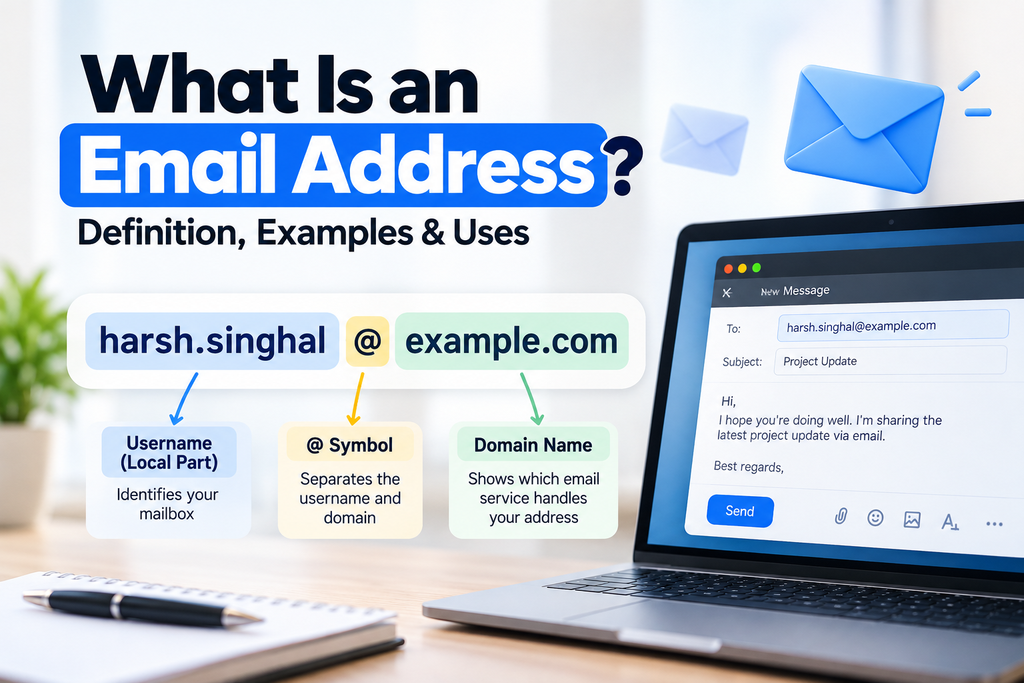
An email address is a unique identifier used to send and receive electronic messages over the internet. It tells an email system where to deliver a message, whether you’re contacting a friend, communicating with a business, or signing up for an online service.
A typical email address looks like this:
Every email address has a specific structure, including a username, an @ symbol, and a domain name. Understanding these parts can help you recognize valid email addresses, create a professional address, and avoid common mistakes when sharing your contact information.
What Is an Example of an Email Address?
Here are a few examples of email addresses:
- Personal: [email protected]
- Professional: [email protected]
- Customer support: [email protected]
- General inquiries: [email protected]
- Educational: [email protected]
These are illustrative examples, not actual contact details.
An email address can use a free email provider, such as Gmail or Outlook, or a custom domain owned by a business, organization, or individual.
For example, [email protected] uses a provider’s domain, while [email protected] uses a custom domain.
Both can send and receive email, provided the associated account and email service are configured correctly.
What Are the Parts of an Email Address?
An email address generally consists of three main components: the local part, the @ symbol, and the domain.
Consider this example:
Let’s break it down.
1. Username or Local Part
The local part appears before the @ symbol. It identifies a particular mailbox or recipient within the email domain.
In [email protected], the local part is alex.morgan.
Depending on the email provider, this part may contain letters, numbers, and certain special characters. The exact rules depend on the email system.
You can often choose a username when creating an email account. For personal use, it might include your name or a nickname. For professional use, a name-based address is often easier to recognize.
Examples include:
alexmorganalex.morganalex.morgan25
2. The @ Symbol
The @ symbol separates the local part from the domain.
In [email protected], the @ symbol appears between alex.morgan and example.com.
It helps identify which domain handles the email address. Without the separator in the expected position, the address would generally be invalid.
3. Domain Name
The domain appears after the @ symbol. It identifies the domain associated with the email address.
In [email protected], the domain is example.com.
A domain may belong to an email provider, a business, an educational institution, or another organization. Behind the scenes, email routing systems use domain information and mail server records to help deliver messages to the correct destination.
The domain can also include a suffix, such as .com, .org, or .edu.
What Makes an Email Address Valid?
A valid email address must follow the syntax rules accepted by the email system. However, an address that looks valid is not necessarily active or capable of receiving messages.
Here are some examples:
| Email address | Status | Explanation |
|---|---|---|
| [email protected] | Valid format | Uses a recognizable local part and domain |
| [email protected] | Valid format | Includes letters and numbers |
| [email protected] | Valid format | Uses a domain with a country-code suffix |
| alex [email protected] | Invalid format | Contains a space in the local part |
| alexmorgan.example.com | Invalid format | Missing the @ symbol |
| alex@ | Invalid format | Missing the domain after the @ symbol |
These examples illustrate common formatting rules rather than guaranteeing that any particular mailbox exists.
Some email addresses can contain additional characters or more complex domain structures, depending on the applicable standards and provider support.
How Can You Check Whether an Email Address Is Valid?
You can start by checking the following:
- Look for the @ symbol: It should separate the local part from the domain.
- Check for accidental spaces: Ordinary email addresses generally cannot contain spaces in their standard format.
- Inspect the domain: Make sure the domain is spelled correctly and has an appropriate ending.
- Check for typos: A single incorrect character may cause a message to go to the wrong address or fail to arrive.
- Verify the recipient: If possible, confirm the address with the person or organization.
A syntax check can identify obvious formatting errors, but it cannot always confirm that a mailbox exists or that a message will reach the inbox.
What Is an Email Address Used For?
Email addresses are used for much more than sending messages. They are also important for online accounts, professional communication, and receiving official information.
1. Sending and Receiving Messages
The most basic use of an email address is communicating with other people and organizations.
You can send text, share files, forward documents, and exchange information without needing to be online at the same time as the recipient.
2. Creating Online Accounts
Many websites and applications ask for an email address when you create an account.
It may be used to identify your account, confirm your registration, send security alerts, or help you recover access if you forget your password.
An email address is not a substitute for a password or other authentication method, so protect your account credentials carefully.
3. Receiving Receipts and Confirmations
Online stores, booking services, and subscription platforms commonly use email addresses to send order confirmations, receipts, appointment details, and service updates.
Keeping a dedicated record of these messages can make it easier to find important information later.
4. Professional and Business Communication
Businesses use email to communicate with customers, suppliers, employees, and potential partners.
A professional email address can also make it easier for recipients to recognize who is contacting them.
For example, [email protected] clearly connects the sender with a business domain, while [email protected] indicates a customer support mailbox.
5. Receiving Newsletters and Updates
You can use an email address to subscribe to newsletters, product announcements, educational resources, and promotional updates.
Consider using separate addresses or email aliases for different purposes if you want to organize incoming messages and limit how widely you share your primary address.
What Is the Difference Between a Personal and a Business Email Address?
A personal email address is typically used for individual communication, while a business email address is generally associated with a company or professional domain.
| Feature | Personal email address | Business email address |
|---|---|---|
| Example | [email protected] | [email protected] |
| Domain | Often provided by an email service | Often uses a company-owned domain |
| Common use | Personal messages and individual accounts | Customer, team, and professional communication |
| Branding | Usually associated with an individual | Can reinforce a company’s identity |
| Management | Often managed by the individual | May be managed by an organization or administrator |
A business email address does not automatically guarantee that a sender is trustworthy. Likewise, a personal email address can be used professionally.
The right choice depends on how you intend to use the address and whether you need a custom domain.
How Do You Create an Email Address?
Creating an email address usually takes only a few minutes. The exact steps depend on the provider you choose.
Step 1: Choose an Email Provider
Select an email service that suits your needs. Common options include Gmail, Outlook, and Proton Mail.
If you need an address for a business, you can also consider an email service that supports a custom domain.
Step 2: Choose a Username
Pick a username that is easy to remember and appropriate for your intended use.
For personal or professional accounts, a variation of your name is often a good starting point. You may need to add a number or another identifier if your preferred username is already taken.
Step 3: Complete the Registration Process
Visit the provider’s official website and follow its account creation instructions.
You may need to provide some information, create a password, and complete verification steps. Requirements vary by provider.
Step 4: Secure Your Account
Choose a strong, unique password and enable two-factor authentication if available.
Keep your recovery information up to date so you can regain access if you lose your password or device.
Step 5: Test Your Email Address
Once your account is ready, send a test message to another address you control, if possible. Confirm that you can send and receive messages successfully.
How Do You Find Your Own Email Address?
If you have forgotten your email address, you can usually find it in a few places:
- Email application: Open your mail app and look at the account or profile menu.
- Account settings: Check the personal information or account details section of your email provider.
- Sent messages: Open a message you previously sent and check the sender address.
- Saved account details: Check your browser’s saved account information or password manager, if you use one.
- Other accounts: Look at the contact information associated with a service where you registered using that email address.
If you have several email accounts, make sure you identify the correct one before sharing it or using it for account recovery.
How Can You Keep Your Email Address Safe?
Your email address is often connected to important accounts and personal information. Although it is not a secret in the same way as a password, sharing it carelessly can expose you to unwanted messages and scams.
Follow these practical precautions:
Avoid Sharing It Unnecessarily
Only provide your email address when there is a legitimate reason to do so. Be cautious with unfamiliar websites that request personal information without clearly explaining why they need it.
Watch Out for Phishing Emails
Scammers may send messages that pretend to come from banks, businesses, or familiar services. Avoid clicking suspicious links or opening unexpected attachments, and verify unusual requests through an official channel.
Use a Separate Address for Different Purposes
You might use one address for personal communication, another for newsletters, and a business address for work.
Email aliases can also help you share an alternative address without giving out your primary one everywhere.
Secure Your Email Account
Use a unique password and enable two-factor authentication when available. Your email account can be an important recovery channel for other services, so unauthorized access may put multiple accounts at risk.
Review Account Recovery Settings
Keep your recovery email address and phone number current. This can make it easier to recover your account if you lose access.
Frequently Asked Questions About Email Addresses
Is an email address the same as an email account?
No. An email address is the identifier used to send and receive messages. An email account is the associated service and mailbox, which may include your inbox, contacts, settings, and other features.
Can I have more than one email address?
Yes. You can have multiple email addresses for different purposes, such as personal communication, work, online shopping, and newsletters. Some providers also support aliases that direct messages to an existing inbox.
Does an email address have to include a person’s name?
No. An email address can use a name, nickname, department, role, or other permitted username. For example, [email protected] is a role-based address rather than an individual’s name.
Is Gmail an email address?
Gmail is an email service, not an individual email address. An address such as [email protected] is an email address that uses the Gmail domain.
Can two people have the same email address?
A particular mailbox address generally needs to be unique within the relevant email system or domain. Two people can have similar addresses, but even a small difference in the username or domain can make them different addresses.
Can I change my email address?
It depends on your provider. Some services let you change an account’s primary address, while others require you to create a new address or use an alias. Check your provider’s policies before making changes, especially if the address is linked to important accounts.
Is it safe to give someone my email address?
Sharing your email address is common and usually necessary for communication. However, be cautious about where you share it, since it can be used for spam, phishing attempts, or unwanted marketing. Never share your password or verification codes with someone who asks for them.
Final Thoughts
An email address is a basic part of digital communication. It helps people and organizations send messages, register for online services, receive confirmations, and communicate professionally.
A typical address consists of a local part, an @ symbol, and a domain. Understanding this structure makes it easier to recognize formatting errors and choose an address that fits your needs.
Whether you use email for personal messages or business communication, choose a suitable address, check it carefully before sharing it, and protect the account associated with it.